
WeTransfer : File Transfer
WeTransfer BVProductivity
4.81.12K Reviews
- Version
- 3.8.9
- Installs
- 10.00M
- Age Rating
- Everyone
Screenshots
Our Review of WeTransfer : File Transfer
 Analysis by Appyee
Ever had those moments when your email just isn't cutting it for sending large files? Well, let me introduce you to a nifty app that makes this whole process as easy as pie: WeTransfer: File Transfer. Now, if you're anything like me, juggling files between devices and people can sometimes feel like taming a wild beast. But with WeTransfer, it's more like a leisurely stroll in the park.
Getting Started with WeTransfer
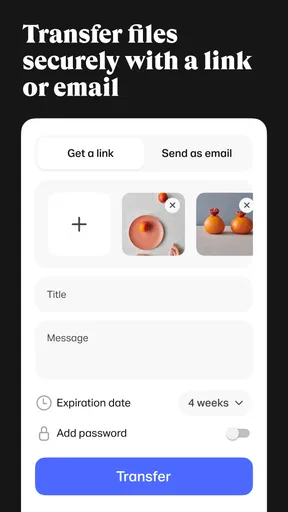
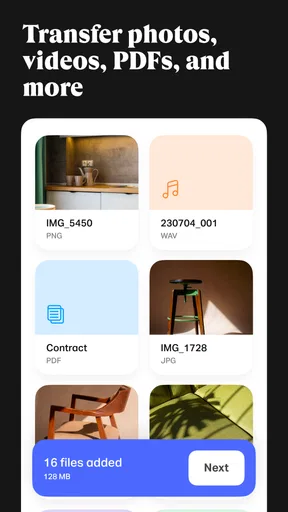
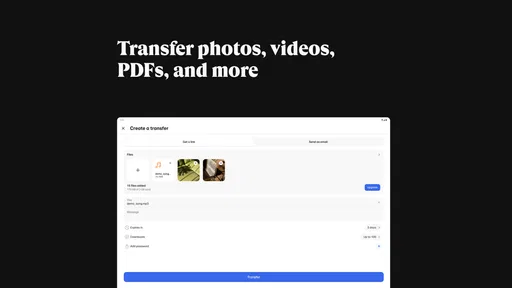
First things first, let’s talk about getting started. When you fire up the app, you’re greeted with a clean, minimalist interface that's kind of like a breath of fresh air. No clutter, just the essentials. You don’t even need to sign up to start sending files, which is a big win in my book. Just pop in the recipient's email, attach your files, and hit send. It really doesn’t get simpler than that!
Now, if you’re sending huge files on the regular, you might want to consider the WeTransfer Plus option. This gives you a few more bells and whistles, like larger file sizes up to 20GB, password protection, and custom branding. But for the average user, the free version is pretty robust.
File Transfer Made Easy
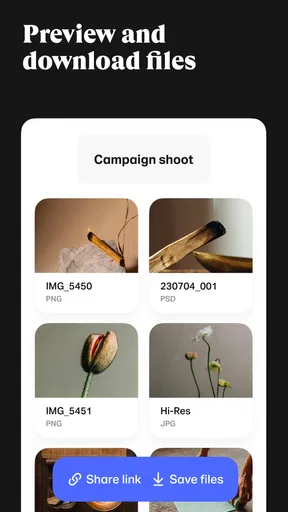
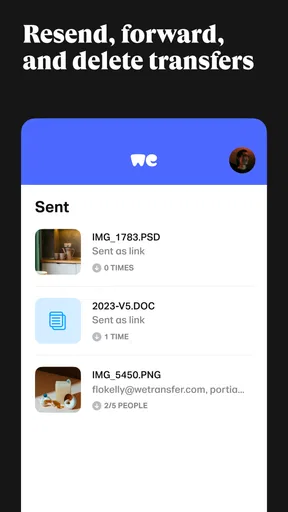
One of the things I absolutely love about using WeTransfer is how it handles multiple file types without breaking a sweat. Whether it's high-res photos, videos, or even entire folders, this app can handle it all. Plus, you can track your transfers and see when the files have been downloaded, giving you peace of mind that your files have safely reached their destination.
Another cool feature is the ability to pause and resume transfers. Imagine you're halfway through sending a massive video file, and you suddenly lose connection. With most apps, you'd probably have to start all over again. But not with WeTransfer. It picks up right where it left off, saving you both time and frustration.
Security and Privacy
In today's world, security is a big deal, and WeTransfer doesn’t take this lightly. The app uses encryption to ensure your files are safe during transit. And if you opt for the Plus version, you can even add a password to your transfers for an extra layer of security. This means you can share sensitive documents without worrying about prying eyes.
WeTransfer also respects your privacy. They don’t store your files any longer than necessary, which is typically seven days for the free version. After that, the files are deleted from their servers. So, you can rest easy knowing your data isn’t floating around the internet indefinitely.
Seamless User Experience
The user experience with WeTransfer is, in one word, seamless. The app doesn’t bombard you with ads or unnecessary notifications. It’s straightforward, intuitive, and gets the job done with minimal fuss. Whether you’re tech-savvy or not, you’ll find it easy to navigate and use.
Plus, the app is available on both Android and iOS, so no matter what device you’re using, you’ll have the same smooth experience. And for those who prefer working on their computers, WeTransfer’s browser-based service is just as efficient and user-friendly.
Final Thoughts
Overall, WeTransfer: File Transfer is a fantastic tool for anyone needing to send large files quickly and securely. Its simplicity and efficiency make it a standout choice among file transfer apps. Whether you’re sending work documents, creative projects, or just sharing media with friends and family, WeTransfer has got you covered.
If you haven’t tried it yet, give it a go. You might just find it becomes your go-to app for all things file transfer. And let’s be honest, who doesn’t like a little more simplicity in their lives?
Verdict
Strengths of WeTransfer : File Transfer
- Easy-to-use interface for quick transfers.
- No account needed for basic file sharing.
- Supports large file sizes up to 2GB.
- Files are encrypted for security.
- Available on both Android and iOS.
Limitations of WeTransfer : File Transfer
- Limited file size without subscription.
- Files expire after seven days.
- No advanced file management options.
- Ads in the free version can be distracting.
- Limited customization of transfer settings.
Similar Picks in This Category
View All
Google Calendar
Google LLC4.6

Google Drive
Google LLC4.3

Google Assistant
Google LLC3.9

Microsoft OneDrive
Microsoft Corporation4.6

Samsung Calendar
Samsung Electronics Co., Ltd.4.1

Microsoft OneNote: Save Notes
Microsoft Corporation4.6
Frequently Asked Questions
What is WeTransfer and how does it work?
WeTransfer is a simple and effective file-sharing application that allows users to send large files quickly and easily. You can transfer files up to 2GB for free without needing an account, making it ideal for sharing videos, images, and documents. Users upload the files, enter the recipient's email, and WeTransfer handles the rest.
Is WeTransfer safe to use for sensitive data?
WeTransfer employs standard security measures like encryption during file transfer and storage. However, for sensitive data, it's recommended to use the Pro version, which offers password protection and file expiration control. Always ensure recipients are trustworthy to maintain data integrity.
How much does WeTransfer cost, and are there any additional features in the Pro version?
WeTransfer offers a free version with a 2GB per transfer limit. For users needing more, the Pro version costs around $12 per month or $120 annually, allowing up to 20GB per transfer, 1TB of storage, password protection, and customizable backgrounds. The Pro version is ideal for businesses or frequent users.
Can I use WeTransfer on both Android and iOS devices?
Yes, WeTransfer is available on both Android and iOS platforms. The app provides a seamless experience across devices, allowing users to upload and share files from their mobile devices with ease. Whether you’re using a smartphone or tablet, WeTransfer ensures your files are accessible on the go.
What file types can I send using WeTransfer?
WeTransfer supports a wide variety of file types, including documents, images, audio, and video files. Almost any file format can be transferred, making it versatile for sending multimedia content, professional documents, or personal files. Ensure files are within the size limit to avoid transfer issues.
